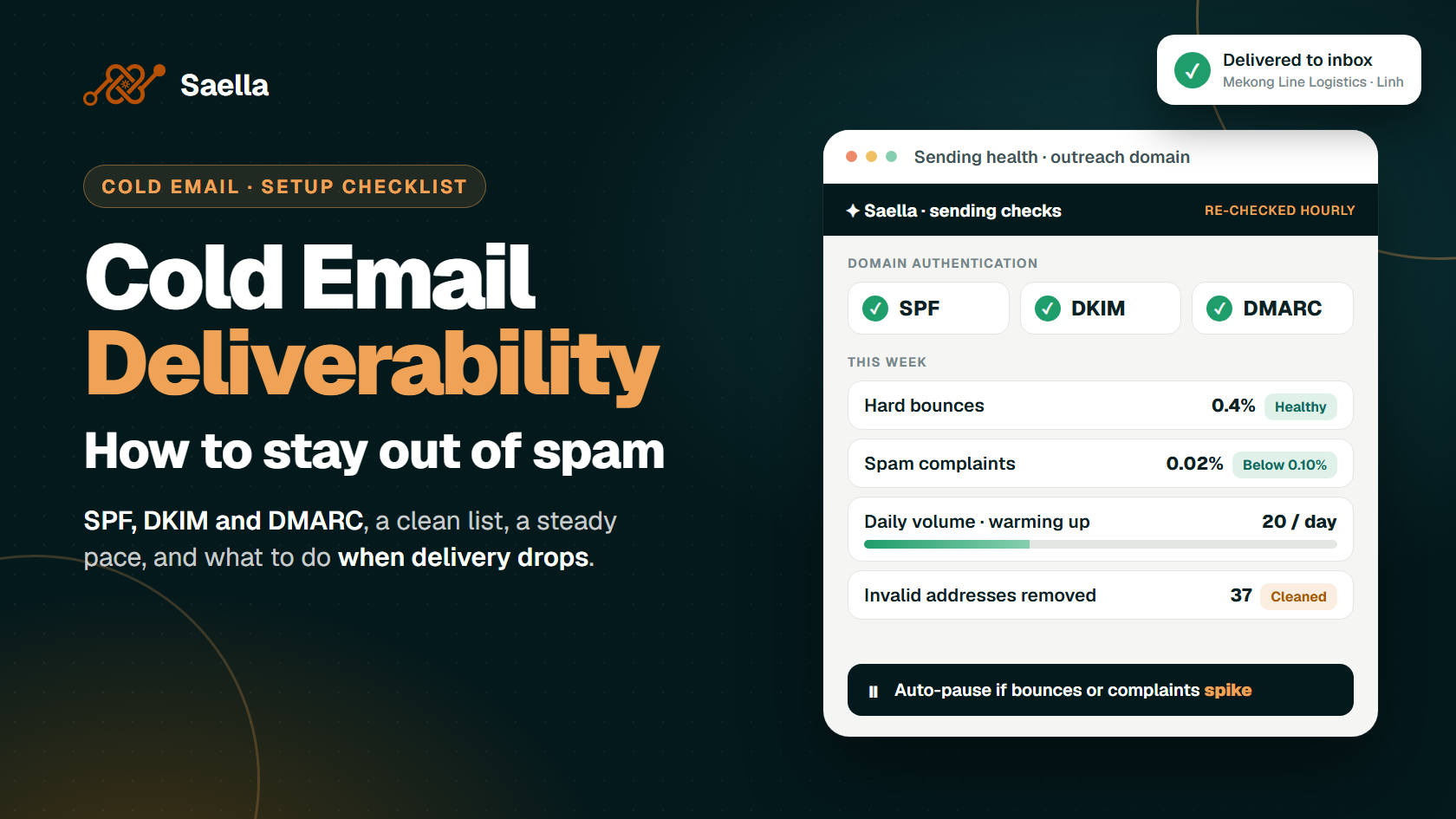
Cold email deliverability means getting your email to the intended inbox. A message can fail before anyone reads it. The address may be invalid, the receiving service may reject it, or the email may land in spam. Check your sending domain, contact list and sending pace before you launch.
What Can Happen After You Press Send?
Your email can take three paths:
Bounce or rejection: It does not reach the recipient’s mailbox.
Spam placement: The receiving service accepts it but puts it in spam.
Inbox delivery: It reaches an inbox. This still does not mean someone read it.
A hard bounce usually points to a lasting problem, such as an invalid address. A soft bounce or deferral may be temporary. Read the error before you retry. If many messages fail at once, stop and find the cause.
Cold Email Deliverability Checklist: What Should You Set Up First?
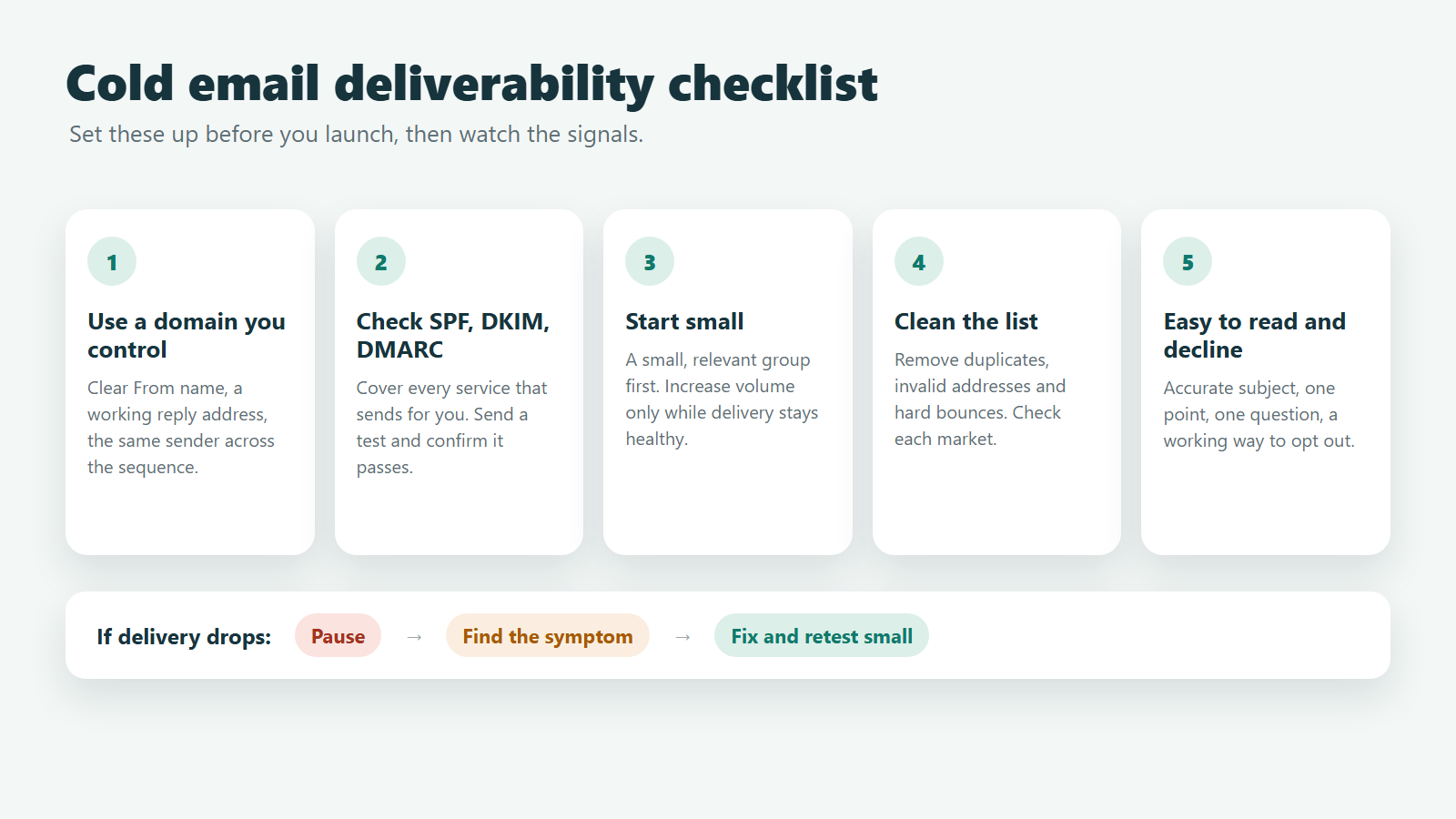
1. Use a Domain You Control
Send from a real domain with a clear From name and a working reply address. Some teams use a separate domain or subdomain for outreach. This helps them manage campaigns apart from essential customer email. Either way, the sender should clearly identify the business.
Keep the sender consistent throughout a sequence. A follow-up from an unfamiliar address is harder to recognise.
2. Check SPF, DKIM and DMARC
These settings help receiving services check your domain:
SPF lists the services allowed to send for your domain.
DKIM adds a signature that receiving services can verify.
DMARC sets a policy for messages that claim to be from your domain but fail identity checks.
Google requires SPF or DKIM for all senders to personal Gmail accounts. Senders at its bulk threshold need all three: SPF, DKIM and DMARC. Yahoo also has added requirements for bulk senders.
Ask your domain or email provider to check every service that sends on your behalf. Then send a test email and check whether it passes.
DMARC has three common policy stages:
p=none: Monitor results.
p=quarantine: Ask receiving services to set aside failed messages.
p=reject: Ask them to reject failed messages.
Check reports before you use a stricter policy. Make sure legitimate mail still passes.
3. Start Small and Watch Delivery
Do not launch a large campaign from a new mailbox. Send to a small, relevant group first. Increase volume only when delivery remains healthy.
For example, a team might test 10–20 messages per working day from one mailbox, then 20–40 after checking results. These are illustrative ranges, not official limits or a promise of inbox delivery. Your provider’s rules, sending history and recipient feedback matter more than a number from a guide. Google advises gradual increases and a reduction when errors appear.
Send at sensible times for the recipient’s market. Avoid sudden bursts across many mailboxes.
4. Check Your Contact List
Ask two questions: Does this company fit our offer? Is this the right person for the topic? Remove duplicates and invalid addresses. Verify uncertain addresses before sending.
Remove hard bounces from future campaigns. Investigate repeated soft bounces instead of retrying without an end. A valid address does not mean the person wants your message. It also does not establish permission to contact them.
Review each market separately. A Vietnam logistics company and a Malaysia distributor need different reasons for outreach. Different marketing and privacy rules may also apply.
5. Make the Email Easy to Read and Decline
Use an accurate subject line. Say why you chose this recipient, make one relevant point and ask one clear question. A short email is often easier to assess than a long introduction with attachments. Plain text alone will not keep a message out of spam.
Give people a working way to stop future marketing email. Google and Yahoo have specific unsubscribe requirements for certain bulk messages. A “reply stop” line may not satisfy every rule. Check the requirements for your campaign and the recipient’s market.
Which Numbers Should You Watch?
Start with hard bounces, temporary delivery errors and spam complaints. If any rise, pause and inspect the affected list. Remove invalid addresses and honour opt-outs promptly.
Google asks senders to keep the user-reported spam rate in Postmaster Tools below 0.10% and avoid 0.30% or higher. Yahoo requires its senders to keep complaints below 0.30%. These are provider-specific signals. They do not mean some amount of unwanted email is safe.
Check your email provider’s reports. Google Postmaster Tools can show Gmail-related signals when there is enough data.
Send a few test emails to check for obvious problems. Those tests cannot tell you where every real email will land.
What Should You Do If Delivery Drops?
Pause. Stop the affected campaign. More sending will not fix an invalid list or a broken domain setting.
Find the symptom. Are messages bouncing, being delayed or drawing complaints? Read the delivery errors. Check whether you changed the domain, provider, list or message.
Fix and retest. Remove invalid contacts, correct SPF, DKIM or DMARC problems, and review the audience. Restart with a smaller group and watch the results. A new domain will not fix the same poor list or unwanted message.
How Does Saella Help With Sending Checks?
Saella checks SPF, DKIM and DMARC again hourly. It pauses sending when bounces or complaints spike and filters mailbox-scanner activity from reported opens. These controls help you spot trouble and read results more clearly. You still need to choose relevant companies, review messages and respect requests to stop.
Start with one target group. Approve the first email and its follow-ups. Then review replies and delivery signals before expanding. Our guides to B2B cold email templates, subject lines and sales follow-up emails cover the message itself.
Frequently Asked Questions
Do SPF, DKIM and DMARC guarantee inbox delivery?
No. They help check who sent the email. List quality, feedback and sending history still affect where it goes.
How long should I warm up a new domain?
There is no fixed number of days. Set up the domain, start with a suitable small group and increase gradually if delivery remains healthy. Check your provider’s limits too.
Can bad lead data hurt deliverability?
Yes. Invalid addresses cause bounces. Poorly targeted messages can lead to complaints. Check both the address and the reason to contact that person.
Are opens a reliable test?
Not on their own. Privacy features can load email content without a person reading it. Apple Mail Privacy Protection, for example, can load remote content in the background. Look at replies, errors and complaints as well.
Will plain text keep my email out of spam?
No. It can make the email easier to read. It will not repair a poor list, missing domain checks or an unwanted campaign.
Build a Better First Campaign With Saella
Choose companies for a clear reason. Check your sending setup, write an email that fits the group and make it easy to decline. Saella helps you move from company selection to reviewed drafts and follow-up planning. Use replies and delivery signals to improve the next group.
Find your next customers in Southeast Asia
Start free