A sales follow-up email continues a conversation after a first email, call, demo or proposal. It helps the buyer make a decision or take the next step. An effective message has a specific purpose: it answers a question, shares relevant information or asks for one clear decision.
The right message depends on the relationship. After a meeting, the buyer may expect a recap the same day. After an unanswered cold email, they may need time and a fresh reason to engage. Below are timing guidelines and 12 templates for both kinds of situation. Adapt the examples to what actually happened; a template cannot supply the facts for you.
When Should You Send a Sales Follow Up Email?
Start with what you agreed with the buyer. If you promised a document by Friday, send it by Friday. If the buyer gave you a review date, plan your next email around that date.
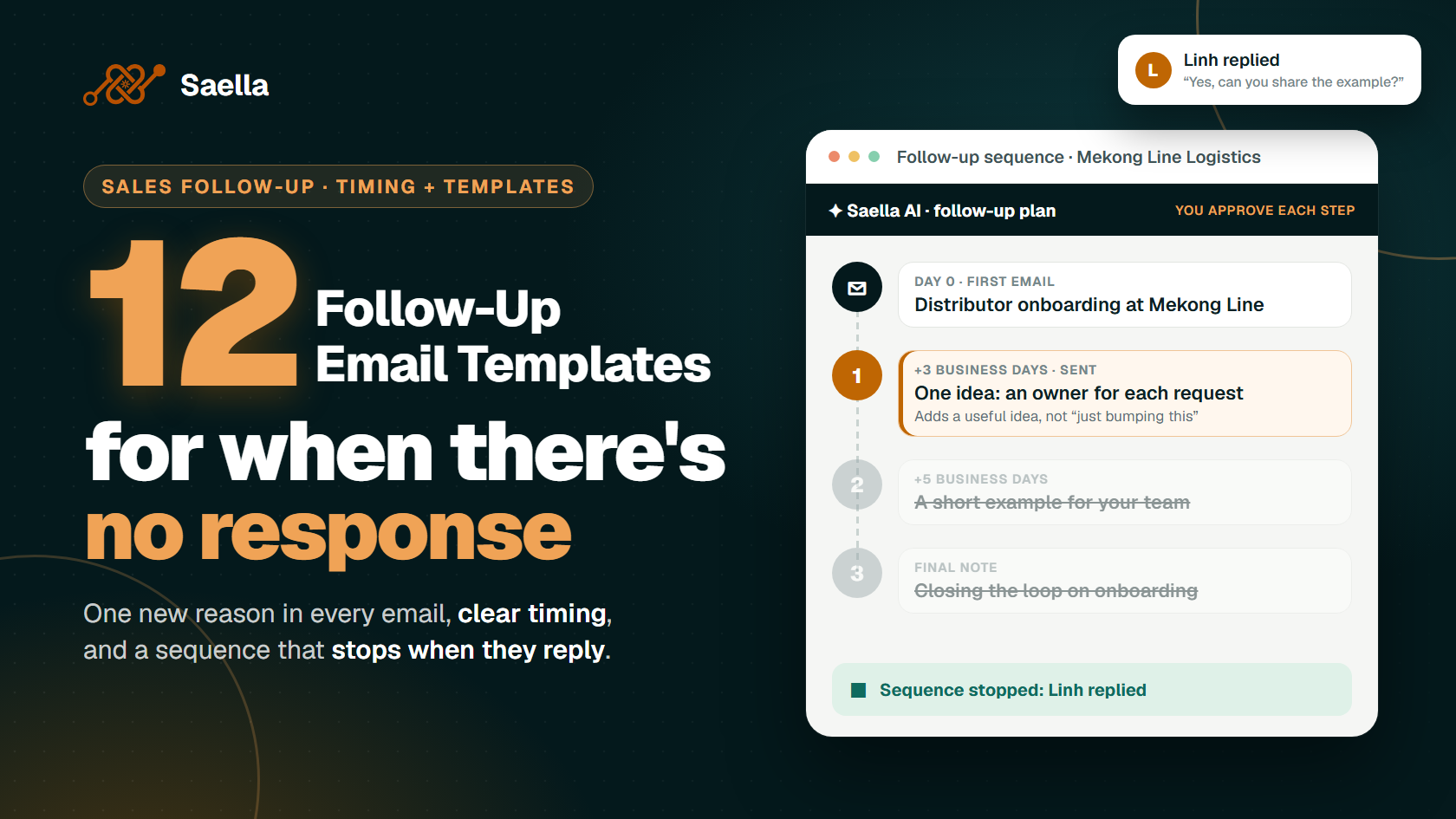
For an unanswered cold email, try a first follow-up after two to three business days. Share a useful idea or ask one simple question. If there is still no reply, leave another four to five business days before the next attempt. You can send a final, polite message after a longer gap if you still have a good reason to write.
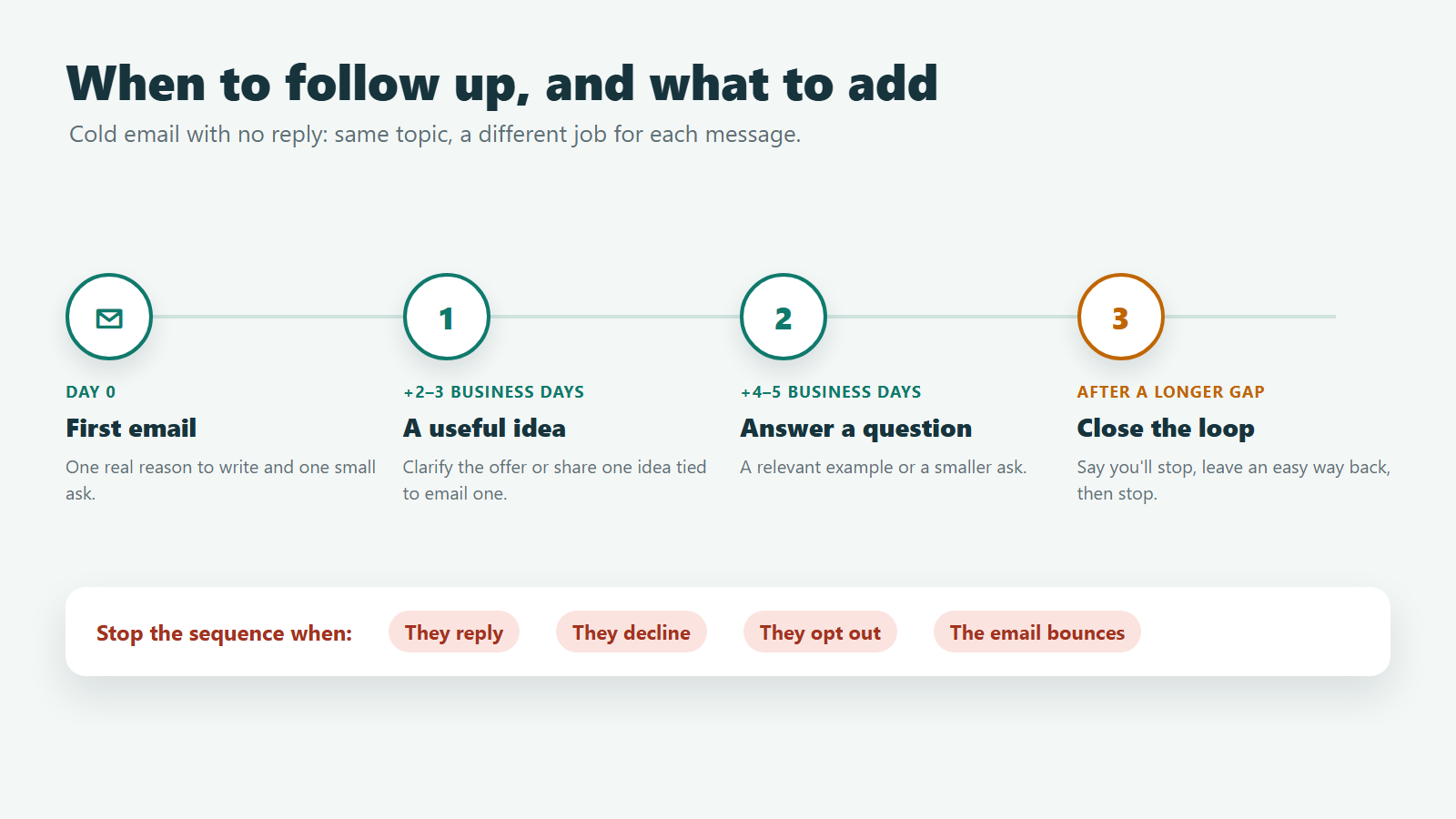
Treat these intervals as a test, not a promise of more replies. Many teams start with two or three useful follow-ups and review the results. A person who requested a proposal needs a different schedule. Ask when they expect to review it, then follow their timeline instead of forcing them into a cold outreach sequence.
Check the buyer's working days and time zone before scheduling. For example, a Friday afternoon send from Singapore could reach a buyer elsewhere after their working day. If you receive an out-of-office reply, note the return date and pause the sequence.
Stop scheduled sales emails when the buyer replies, declines or opts out. Stop as well if the message fails to reach them. When you discuss the same issue, reply in the existing thread so the buyer can see the earlier context. Start a new thread if the subject truly changes.
How Do You Choose the Next Message?
Before writing, review the last interaction. What did the buyer ask for? What did you promise? What would help them make progress? Choose just one answer or decision for the email. After a demo, that might be a specific workflow. After a proposal, it might be the difference between two options.
If you have no new information, reconsider whether to send anything. Repeating your original pitch with a new greeting rarely makes the buyer's decision easier. You may also discover that the contact is the wrong person, the project has moved, or the timing is unclear. Address that uncertainty with a brief question instead of assuming interest.
What Should Change From One Follow-Up to the Next?
Keep the topic consistent, but give each email a different job. The first follow-up can clarify your original offer. The next can answer a likely question or share a relevant example. A final message can close the conversation and leave an easy way to reconnect. If all three emails ask “Do you have time for a call?”, the sequence gives the buyer little help in deciding.
Imagine that you wrote to a distributor about managing enquiries from several markets. Your first follow-up could explain a simple way to assign an owner to each enquiry. If the buyer then asks about handoffs, send an answer to that question; the planned second email is no longer appropriate. If they do not respond, a later message could ask whether this workflow is a priority this quarter. These are illustrative ideas, not claims about that distributor's operations.
Personalization also needs evidence. Use the buyer's stated goal, a verified company announcement or a question from your meeting. A company name alone does not make a message relevant. Check any public detail before you mention it, and avoid guessing about the buyer's budget or problems. The best detail gives the recipient a reason to think, “This addresses the decision I am making.”
When you review the sequence, read the emails in order as one conversation. Remove repeated introductions and conflicting requests. Keep the next action small enough that the buyer can answer from their inbox. If a question needs a meeting, explain what the meeting would settle.
12 Sales Follow-Up Email Templates by Situation
These are sample messages. Replace each bracket with a true detail and remove any line that does not fit. Choose the situation that matches your last contact. A short email can work well when the context is clear; a proposal or meeting recap may need more detail.
Keep the main request easy to answer. “Which option fits your plan?” gives the buyer a clear choice. “Can we schedule a call to discuss everything?” may be too large a step when they have not yet resolved a basic question.
1. No Reply to a First Cold Email
Subject: Keep the original subject line
Hi [Name],
One idea for [process]: give each request an owner and a due date. This could help with [issue] from my email on [day].
Would a short example help?
[Your name]
Share a small, useful idea. Give the reader a reason to reply beyond seeing your first cold email.
Use this only when the idea connects to the first message. For instance, if you wrote about slow handoffs between sales and operations, an owner and due date could be relevant. If you have no evidence of that problem, frame the idea as a possibility rather than claiming the company has it. Avoid “Did you see my email?” because it does not help the reader assess your offer.
2. After a First Call
Subject: Next steps from our [day] call
Hi [Name],
Thanks for the call. You said [priority] comes first.
I will send [item] by [date]. Your team will confirm [input].
Did I get the next steps right?
[Your name]
Keep a clear record of who will do what. Let the buyer correct any detail.
Send the recap promptly, especially when you committed to an item or date. If the buyer discussed several goals, focus on the one they said matters first. Do not turn a tentative idea into an agreed commitment. If a deadline was not set during the call, propose a date and ask the buyer to confirm it.
3. After a Meeting With Several Stakeholders
Subject: Decisions and owners from [meeting]
Hi everyone,
Here is a short recap of today's meeting:
- Decision: [decision].
- Open question: [question].
- [Your team] will send [item] by [date].
- [Customer owner] will confirm [item] by [date].
Please let me know if I missed anything.
[Your name]
List each task and its owner. This makes the next steps easy to find.
Several attendees may remember the meeting differently. A brief summary gives them one place to correct the record. Include a decision only if the group made it. If a choice remains open, call it an open question and name the person who can resolve it. That distinction helps prevent avoidable delays.
4. After a Product Demo
Subject: The [specific workflow] we discussed
Hi [Name],
You asked how [feature or process] would work for [situation]. Here is the short answer: [accurate answer].
One limit to keep in mind is [limit, if any].
Would it help to walk through your team's process?
[Your name]
Answer the question the buyer asked. Keep any limits clear and only describe features the product has.
For example, the buyer may want to know whether a process works for a small team in two countries. Explain the part you showed in the demo and the part you still need to verify. If you cannot answer yet, give a realistic date for the answer. A precise follow-up builds more trust than a broad recap of every feature.
5. After Sending a Proposal
Subject: One decision in the [project] proposal
Hi [Name],
The proposal gives you two options for [decision]: [option A] and [option B].
The main difference is [brief difference].
Which option fits your team's plan better?
[Your name]
Help the buyer work through one choice at a time. They may need to settle that choice before they can approve the proposal.
Look at the decision the buyer faces, such as a smaller scope now or a wider rollout later. Explain one meaningful trade-off in plain terms. If the buyer said a colleague must review the proposal, offer a short summary for that person. Do not imply that approval is overdue when the agreed review date has not passed.
6. After Sending Pricing
Subject: What is included in the [package] quote
Hi [Name],
A quick note on the quote I sent on [day]: it covers [scope]. It does not cover [exclusion].
If you need [other requirement], I can update the scope.
Is there anything else your team needs?
[Your name]
Explain what the price covers. Check each detail against the quote before you send the email.
A price question may be a scope question. Before offering a discount, find out whether the buyer is comparing the same services and quantities. If the quote depends on a number of users, a market, or a service period, spell out that assumption. Ask which requirement matters most so any revised quote addresses the actual concern.
7. After Sending Requested Information
Subject: The [document] you requested
Hi [Name],
I sent [document] on [day]. You can find the answer about [topic] under [page or heading].
Please also check [important condition].
Would you like me to explain any part before your team reviews it?
[Your name]
Point the reader to the right section. Save them the effort of searching through the whole file.
Mention the page or heading only after checking the version you sent. If you forgot an attachment, send it in the follow-up and say so. If a condition changes the answer, explain it briefly rather than expecting the buyer to find it alone. The goal is to support their review, not to make them reread the document.
8. After an Event Conversation
Subject: Your question at [event]
Hi [Name],
We spoke at [event] about [topic]. I checked your question about [detail].
The short answer is [answer]. This may change if [condition].
Would you like the full explanation?
[Your name]
Use this when you spoke to the person. Check that your note reflects the conversation you had.
An event can generate many similar conversations. Review your notes before you refer to a question or company plan. If you promised to send a resource, include it when you follow up. If you only attended the same event but never met, use a first introduction instead of implying a personal connection.
9. After a Verified Change at the Prospect's Company
Subject: [Company]'s new [location, role or service]
Hi [Name],
I saw [verified announcement]. It reminded me of our chat about [related issue].
If your team is now working on [task], [short idea] may help.
Is this on your list at the moment?
[Your name]
Check the announcement and its date first. Explain how the change relates to your earlier conversation.
A new office, hiring plan or product launch might change priorities, but the public announcement does not prove that the buyer needs your service. Keep the connection conditional. For example, ask whether the new location affects the workflow you discussed. If the change is old or unrelated, leave it out.
10. After a Referral
Subject: [Referrer]'s introduction about [topic]
Hi [Name],
[Referrer] introduced us about [topic]. Our team helps with [one relevant task].
I would like to learn who handles [decision] at your company.
Are you the right person to ask?
[Your name]
Make sure the referrer agreed to the introduction. Keep the request small and easy to answer.
If the referrer has already introduced you by email, reply in that thread and thank them. If you only heard the contact’s name in conversation, ask the referrer before using it in outreach. Describe the topic accurately and avoid suggesting that the new contact has agreed to a meeting.
11. After a Missed Meeting
Subject: Rescheduling our [day] conversation
Hi [Name],
We missed each other for the [day] call. I hope all is well.
We planned to discuss [decision]. Would [time one] or [time two] work? Both times are in [time zone].
If now is not a good time, we can pause.
[Your name]
Check your calendar and time zone first. Then offer a simple way to book again, without blame.
A missed call can be a calendar error or a shift in priorities. Confirm that you sent the right invitation and joined at the right time before you write. Offer two specific times in the buyer’s time zone. Giving them the option to pause makes the email easier to answer if the project is on hold.
12. A Polite Close After Unanswered Follow-Ups
Subject: Closing the loop on [topic]
Hi [Name],
I have not heard back, so I will stop following up on [topic].
The idea was [one-sentence summary]. If it becomes useful later, you can reach me here.
[Your name]
Send this when you plan to stop. Respect that promise after you send it.
A closing email can give the buyer a simple way to return later. It should not create false urgency or threaten to remove an offer. If they previously asked you to stop, do not send a closing email at all. Record the opt-out and end the sequence immediately.
How Can You Automate Follow-Ups Without Losing Control?
Set up these checks before you start a sequence:
Choose the timing. Set a delay for each message and check the recipient's time zone. Review the schedule if the buyer gives you a specific date.
Stop on a reply. Pause pending sales emails while a person reviews the response. Decide who owns the reply so it does not sit unanswered.
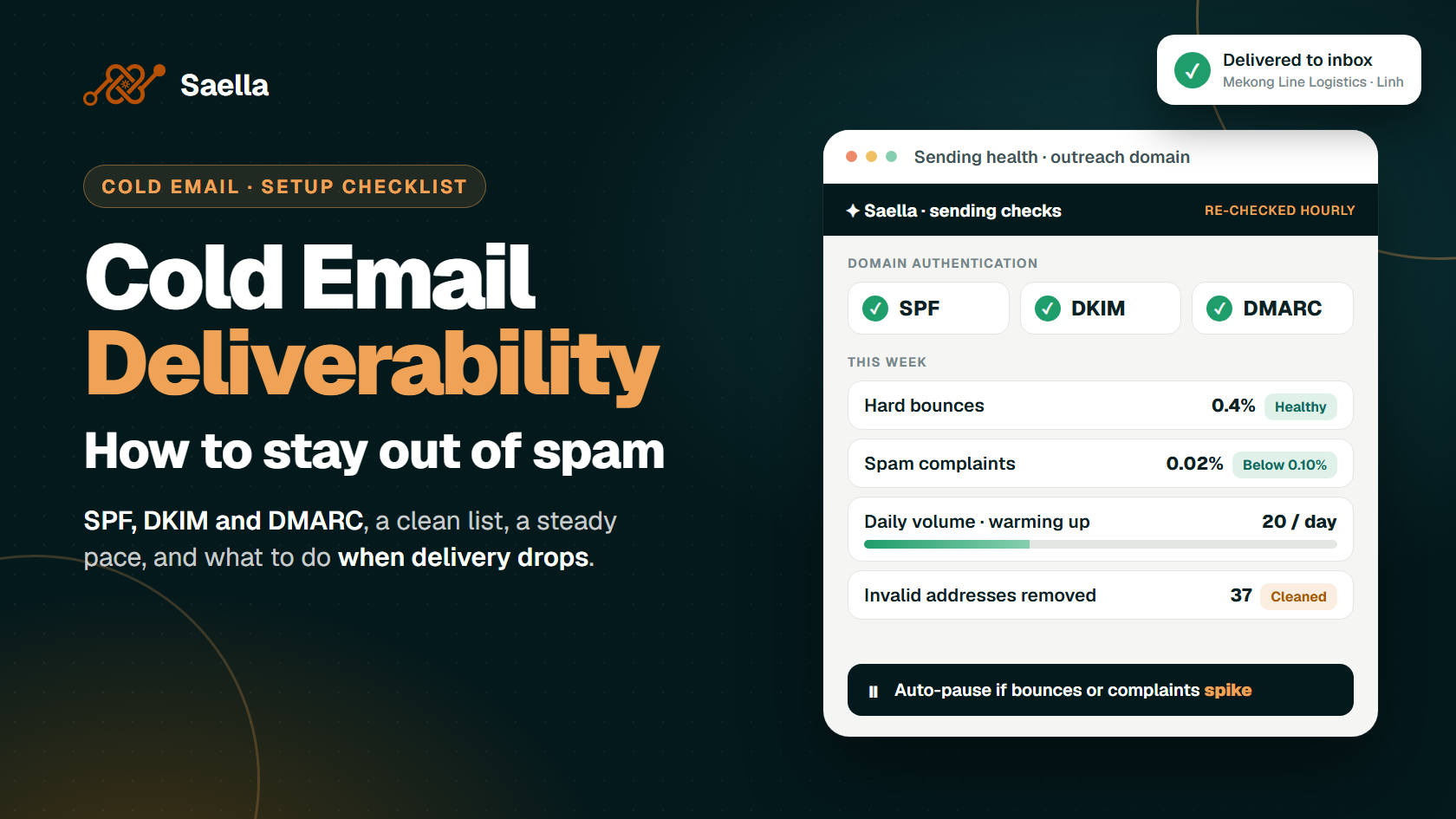
Remove failed addresses. Remove an address if delivery fails permanently, often called a hard bounce. Check your contact data before another attempt.
Respect opt-outs. Remove a contact from further outreach when they ask you to stop. Do not send a final sales message to confirm the pitch.
Watch for problems. If complaints or delivery errors rise, pause the campaign and investigate before expanding it.
Avoid using an email open as your only reason to follow up. Privacy tools and security scanners can record an open without a person reading the message. For example, Apple's Mail Privacy Protection can load email content in the background.
Saella supports follow-up scheduling. It also pauses sending when bounces or complaints spike and filters scanner activity from reported opens. Check your account settings before launch. Review the message order, delays and stop conditions; then send a small test before you expand the campaign. Make sure replies and opt-outs stop further outreach.
What Should You Avoid in a Follow-Up?
Check your draft for these common mistakes:
No new value: Add an answer, a useful detail or a clear next step.
Pressure or guilt: Keep the tone calm and respect the buyer's choice.
False urgency: Only mention a deadline when it is real.
A false connection: Only name a meeting or referral that happened.
Too many asks: Give the reader one clear action.
Ignoring an opt-out: Stop when someone asks you to stop.
Before sending, ask: “Why does this person need this email now?” A promised document, a question from a demo or a proposal decision gives you a clear reason. Make that reason visible in the first two lines. Then read the message from the buyer's point of view: can they understand the context, check your claim and answer the request quickly? If you have nothing useful to add, consider closing the conversation.
Keep the promise of the original interaction. An email that says “I will send the pricing breakdown tomorrow” creates an expectation. The next message should contain that breakdown or explain the delay. A generic follow-up would leave the buyer's actual question unresolved.
Frequently Asked Questions
How many sales follow-up emails should I send?
For cold outreach with no reply, test two or three useful follow-ups. For a proposal the buyer requested, use their review date to guide the timing. Stop when they reply, decline or opt out.
How long should I wait after no response?
Try two to three business days before the first follow-up. Leave longer gaps after that. Check the buyer's working days and time zone. Keep any date you already promised.
Should I change the subject line?
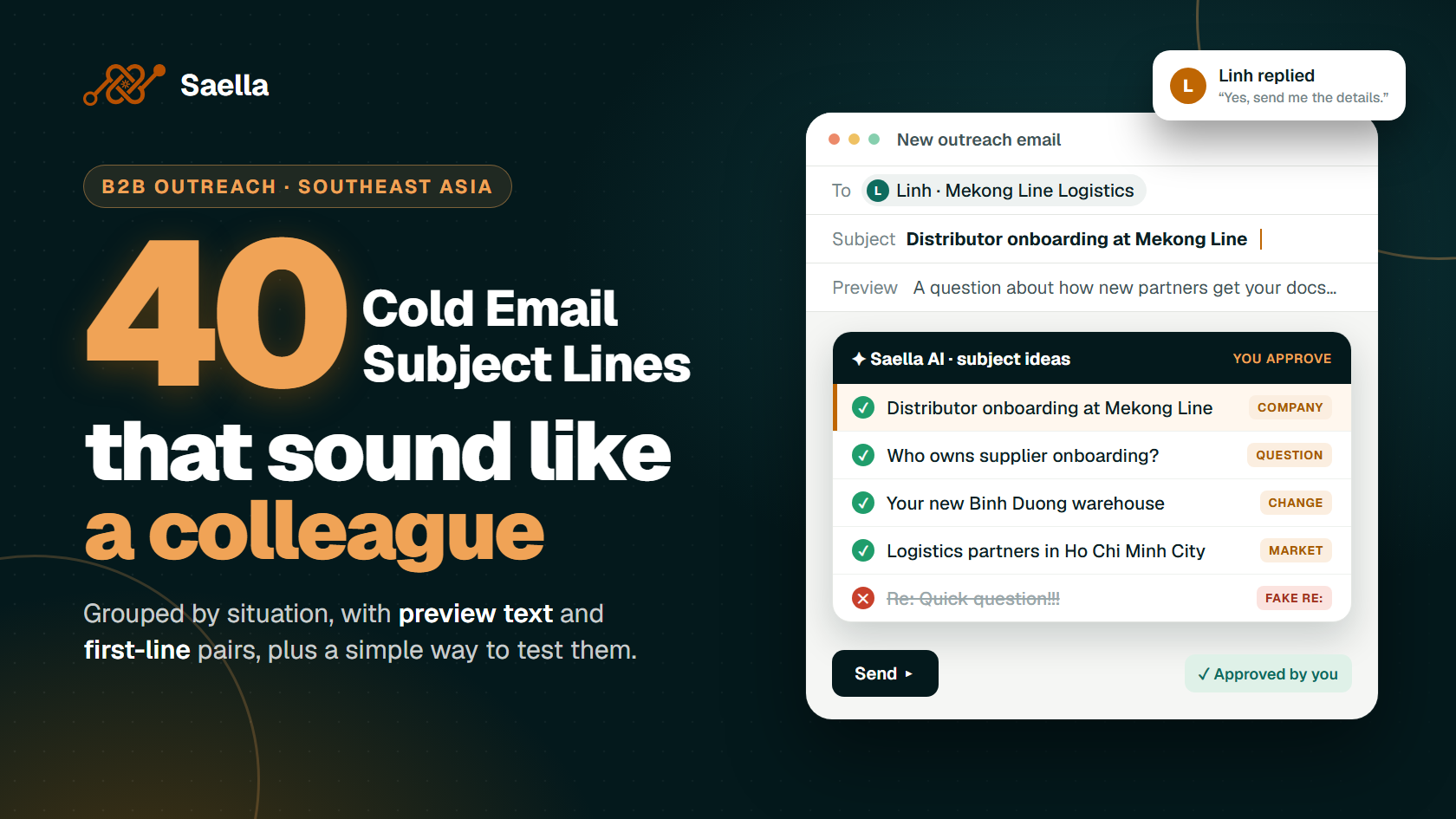
Stay in the same thread for the same topic. Use a new subject when the topic changes. Only use “Re:” for a real reply thread.
Should I follow up only if someone opened my email?
No. A tool may record an open without a person reading the email. A person may also read it without a tracked open. Base your next step on the conversation, their needs and any reply.
Plan Follow-Ups With Saella
Start with a clear audience and one reason to write. Saella helps you select companies, prepare email content and schedule a follow-up flow.
Review each message before launch. Check that every detail is accurate, each follow-up adds something useful and the sequence has a clear stop condition. Then watch replies, bounces and buyer feedback. Use those signals to adjust the timing and choose the next step.
Find your next customers in Southeast Asia
Start free