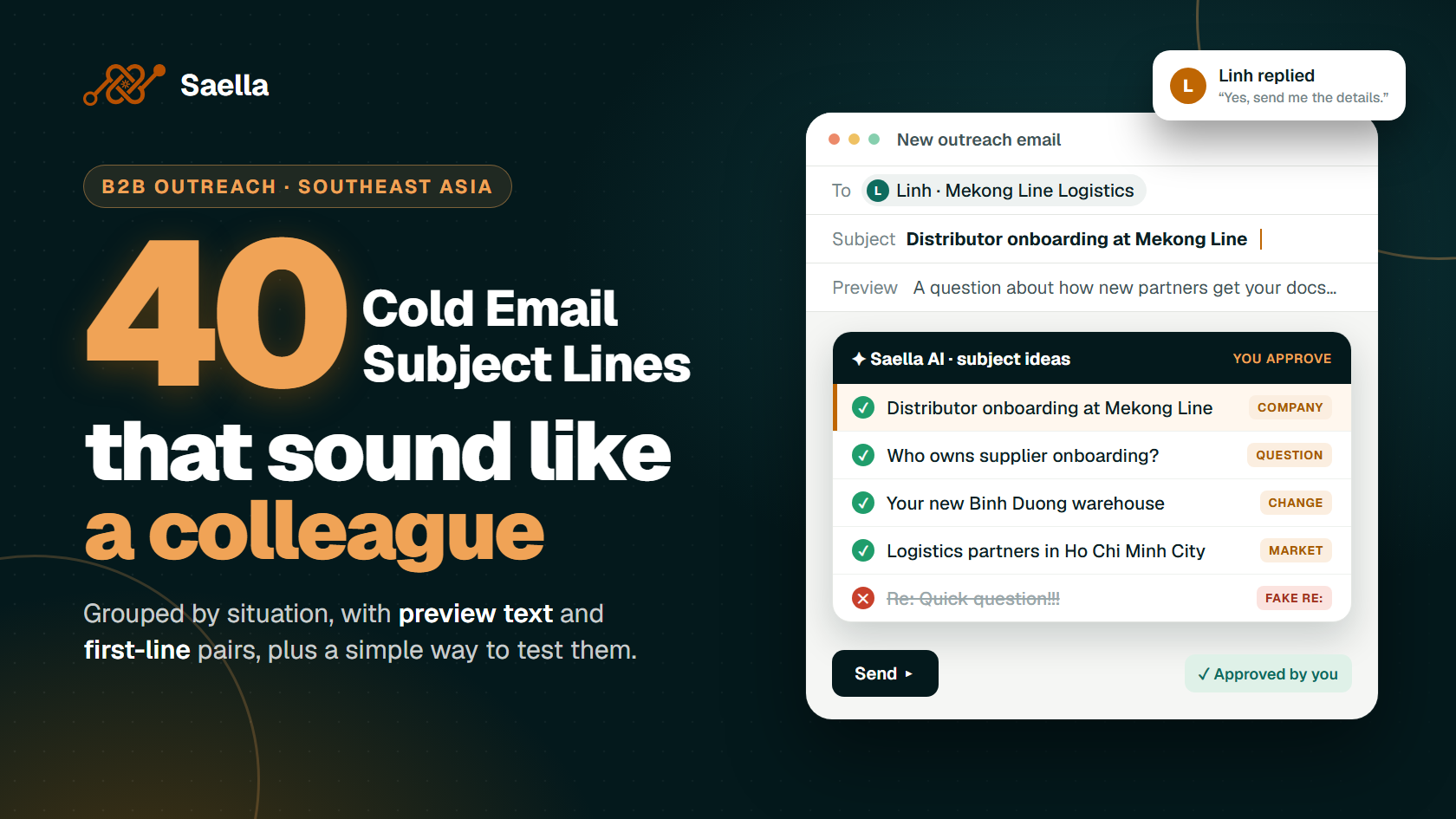
A cold email subject line should help the right person recognise a relevant message. It does not need to sell the whole offer. Name a real topic, company task or shared context, then make sure the first line of your email follows through. The 40 examples below are starting points: replace bracketed facts, and use a peer, event or referral reference only when it is true.
The small choice of a subject line affects more than an open. It sets an expectation. If the reader opens “A question about distributor onboarding” and finds a generic software pitch, the mismatch makes the rest harder to trust.
What Makes a Good Cold Email Subject Line?
Keep it plain, specific and short enough to understand at a glance. There is no universal character count: a clear eight-word line can be better than a vague two-word line. Use a sender name the recipient can identify, avoid deceptive “Re:” or “Fwd:” prefixes on a new conversation, and check that the first sentence explains the subject.
Avoid unexplained urgency, all-caps claims and promises of results you cannot support. “Question about your Vietnam distribution process” gives the reader information. “URGENT: You are losing customers” asserts a problem you probably cannot know.
40 Cold Email Subject Line Examples by Situation
Each line includes the condition that makes it appropriate. These are invented examples, not subject lines taken from real customer campaigns. Do not send all 40 to one audience; choose a category that matches the email you can write.
A. Company and Market: 8 Examples
Use a company or location detail only if it is verified and matters to the offer.
A question about [Company]’s [process] — When the person is likely to own that process.
[Company] and [specific customer task] — When your email explains the connection immediately.
Distributor onboarding at [Company] — When the company works with distributors and you address onboarding.
Delivery updates between [verified Vietnam locations] — When the recipient handles that actual route.
A question for your Malaysia reseller team — When you have confirmed the team and market.
Client handoffs between Manila and Cebu — When the company publicly operates relevant teams in both locations.
Your Singapore team’s [specific workflow] — When you know the team owns the task.
[Product category] partners in Indonesia — When the recipient works in that category and the message concerns partners.
B. A Useful Question: 7 Examples
These work when you genuinely do not know the answer. The message should ask the same question and explain why you are asking.
Who owns [process] at [Company]? — When you are unsure of the right contact.
How does your team handle [specific handoff]? — When you help with that handoff.
Is [task] on your team’s agenda? — When you have a relevant, restrained offer.
One question about [customer request type] — When the email asks exactly one question.
How are [documents] shared with new partners? — When partner documents are relevant to your service.
What happens when [specific operational change] occurs? — When the situation is common to the recipient’s work, without claiming it already happened there.
Could [role] be the right person for [topic]? — When you are politely checking responsibility.
C. A Recent, Verified Change: 7 Examples
Use these only after checking the announcement, date and relationship to your message.
Your new [location] and [process] — When a new location has been publicly announced.
The [role] opening at [Company] — When a current job posting names the relevant responsibility.
[Company]’s new [service] launch — When the launch is real and the email concerns that service.
A question after your [public announcement] — When the announcement creates a genuine question.
Partner onboarding for your new [channel] — When the channel is confirmed, not inferred.
[Company]’s expansion into [market] — When the market entry is publicly confirmed.
Your updated [catalogue or process] — When you have checked the current version and can say what changed.
D. Genuine Shared Context: 6 Examples
Shared context is powerful only when it actually exists. Do not imply you met someone because you both attended the same event.
Your question at [event] — When the recipient asked that question in a conversation with you.
Following our [day] discussion — When you really spoke on that date.
[Referrer] suggested we connect — When the referrer has agreed to be named.
Your point about [topic] at [event] — When you watched or read the actual presentation.
The [resource] we discussed — When the recipient requested or discussed it.
From [project or community]: [specific question] — When you share that genuine connection.
E. A Verified Peer Example: 5 Examples
Use these only with permission and a documented result. Otherwise, choose a company-question subject instead.
How [verified client] handled [process] — When you can name the client and describe the work.
A [verified industry] team’s [specific change] — When anonymity is agreed and the case remains accurate.
What changed in [verified client]’s [workflow] — When you can explain the change, not just hint at it.
[Documented result] from [verified project] — When the metric, period and scope are supported.
A relevant example for [Company]’s [task] — When you have an example you can actually share.
F. Real Follow-Ups: 7 Examples
For the same conversation, replying in the existing thread is usually clearer. Use a new subject below only when the new message genuinely has a distinct point; never add a fake “Re:”.
The [document] you requested — When you are delivering or clarifying that document.
A detail from our [day] call — When the detail came from an actual call.
One decision in the [project] proposal — When your email explains that decision.
A shorter option for [specific scope] — When you can actually offer a revised scope.
Your question about [feature or process] — When you are answering the buyer’s question.
Next steps for [agreed project] — When steps were discussed or agreed.
Closing the loop on [topic] — When this is your final relevant message and you will stop.
How Do Subject Line, Preview Text and First Line Work Together?
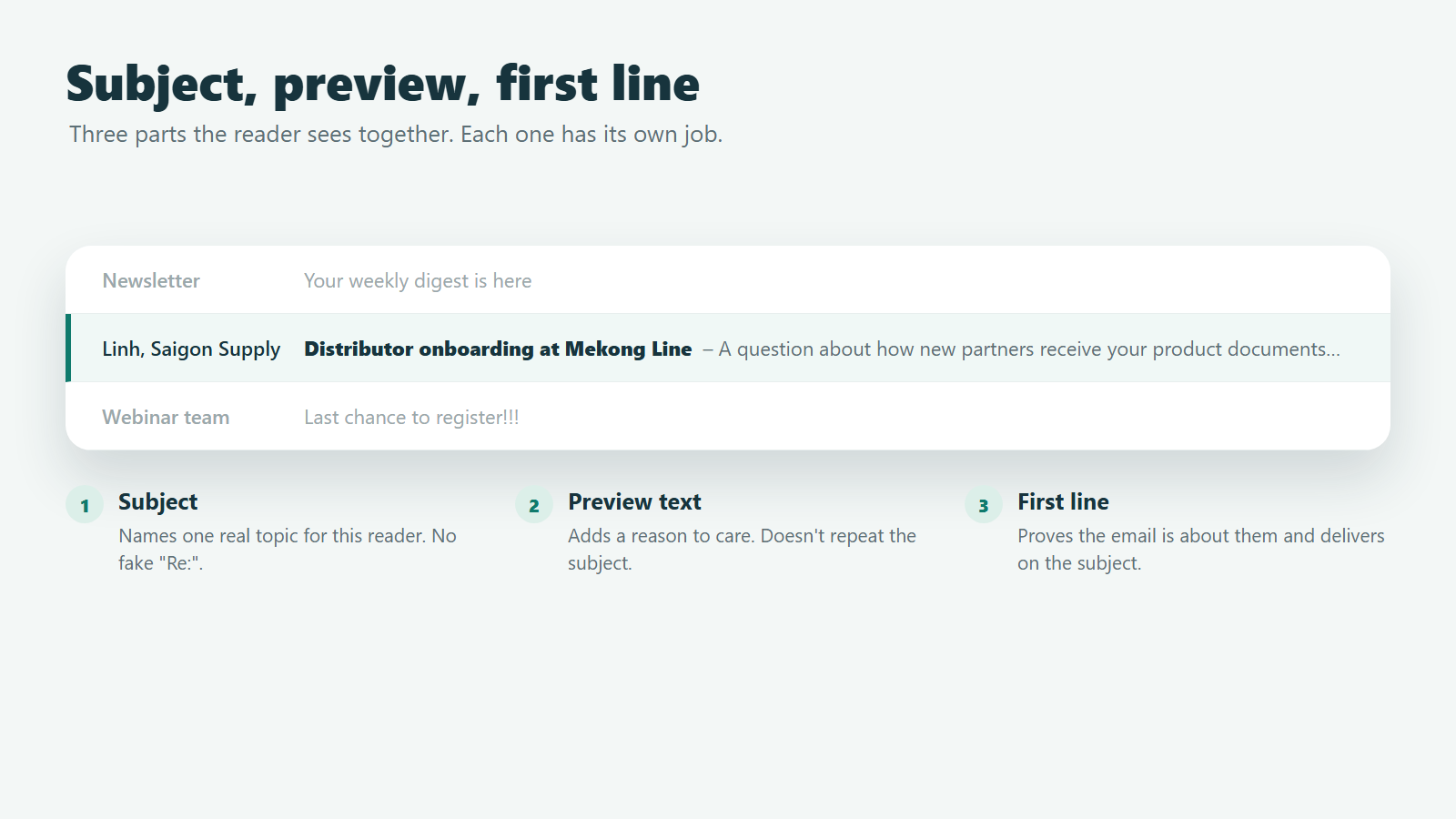
The subject names the topic; the preview adds a reason to care; the first line proves the message is about the reader. The preview should not repeat the subject word for word.
Pair 1
Subject: Distributor onboarding at [Company]
Preview: A question about how new partners receive your current product documents.
First line: I saw that [Company] works with resellers for [verified category] in Malaysia.
Pair 2
Subject: The [role] opening at [Company]
Preview: The posting mentions ownership of [verified responsibility].
First line: I noticed your current listing for a [role] includes [specific task].
Pair 3
Subject: Your question at [event]
Preview: I found the short answer on the handoff process we discussed.
First line: You asked at [event] how we assign a new request to an owner.
Pair 4
Subject: Closing the loop on [topic]
Preview: I’ll leave the decision with you and stop following up.
First line: I have not heard back, so this will be my last note about [topic].
Check the actual inbox display before sending: devices and email clients may cut off the preview. The first visible words should still make sense on their own.
How Should You Test a Cold Email Subject Line?
Write two truthful versions for the same audience and offer. Randomly divide a comparable list, send at similar times, keep the body and sender consistent, and compare qualified replies or useful conversations. If you change the audience, offer and first line at once, you cannot tell what the subject contributed.
Opens can help diagnose whether a subject was noticed, but they are imperfect. Apple Mail Privacy Protection can download remote content in the background, and security systems can trigger tracking activity. Judge the campaign by the replies and outcomes you actually want; treat reported opens as a secondary signal. Saella filters mailbox-scanner activity from reported opens; still compare replies as well as open data.
If neither version works, inspect the recipient list and offer before producing ten more subjects. A more dramatic line cannot fix an irrelevant audience.
Frequently Asked Questions
What is a good subject line for a cold email?
One that truthfully names a topic the recipient may care about and leads naturally into the first line. The best version depends on the person and message, not a universal formula.
Should I put the recipient’s name in the subject?
Only if it adds clarity. A name alone is not meaningful personalization; a real company task often says more.
Should I use “Re:” to improve opens?
Use “Re:” only for a genuine reply in an existing conversation. Adding it to a new email misrepresents the relationship and can undermine trust.
How many words should a B2B subject line have?
There is no fixed winning length. Say the topic plainly and remove unnecessary words. Check the subject together with the preview and first line.
Why did my subject get opens but no replies?
The message may not deliver on the subject’s promise, reach the right person or make an easy ask. Some opens may also be automated. Read the full email and the audience selection before rewriting the subject alone.
Draft the Whole First Email With Saella
The subject is one part of a relevant introduction. Saella helps teams choose a company group and draft email content from available business information. Check the subject, preview and first line together, then approve the final message. Start with a truthful reason to contact the reader; the subject can then name it in a few words.
Find your next customers in Southeast Asia
Start free